
Your AI coding sessions.
Your style.
Manage the Claude Code you already use, plus Codex, Cursor and more, from your desktop and phone.
No API key, no token bill from us. Each agent runs on the account it is already signed in to.
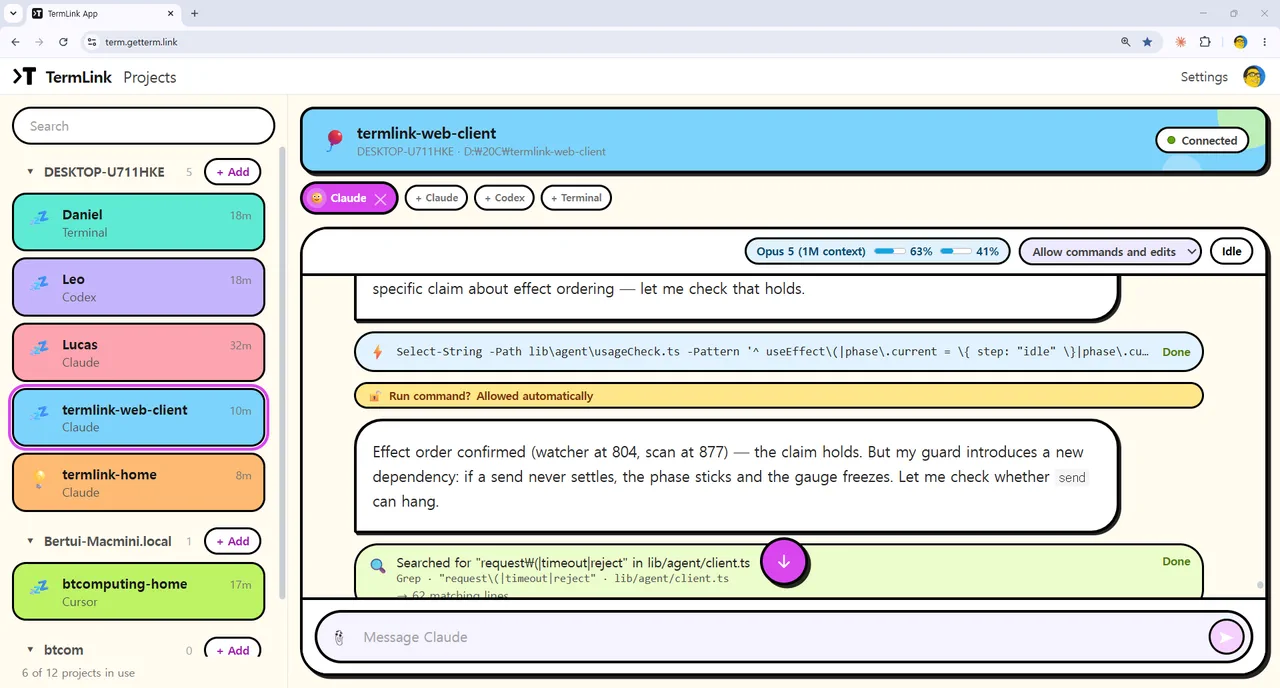
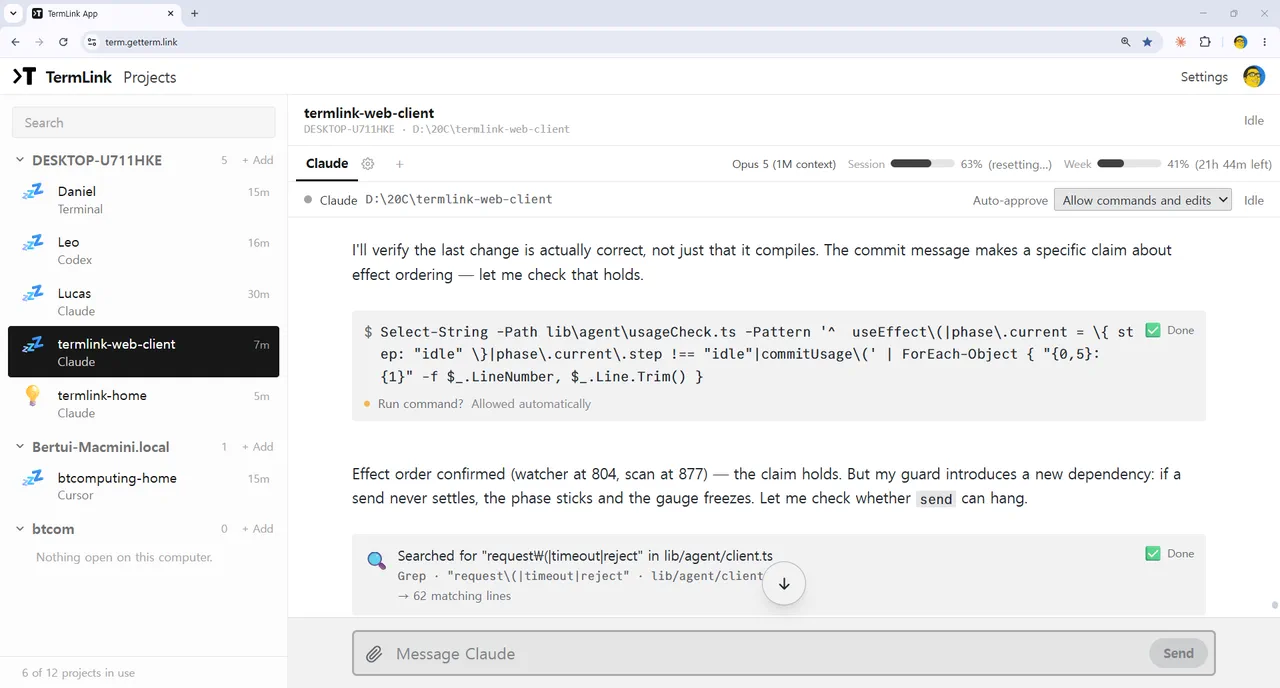
Thick black rounded borders on flat lime, pink, sky and lavender. A theme changes the whole screen, not just the colours — set it in Settings, and your phone can sit on a different one from your desktop.
All your sessions. One screen.
See every session at a glance. Jump into the one that needs you.
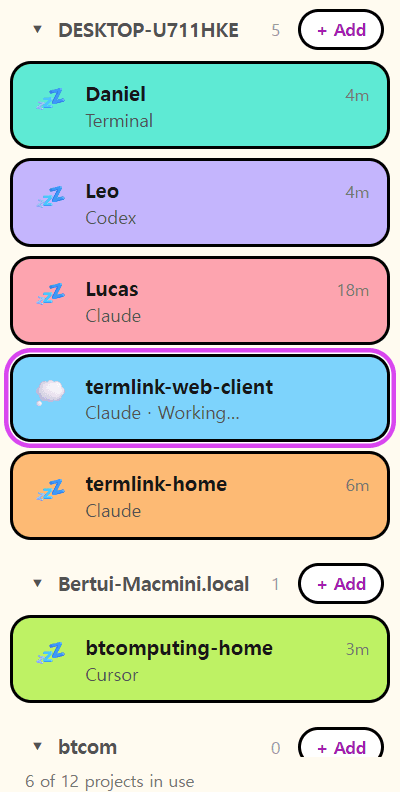
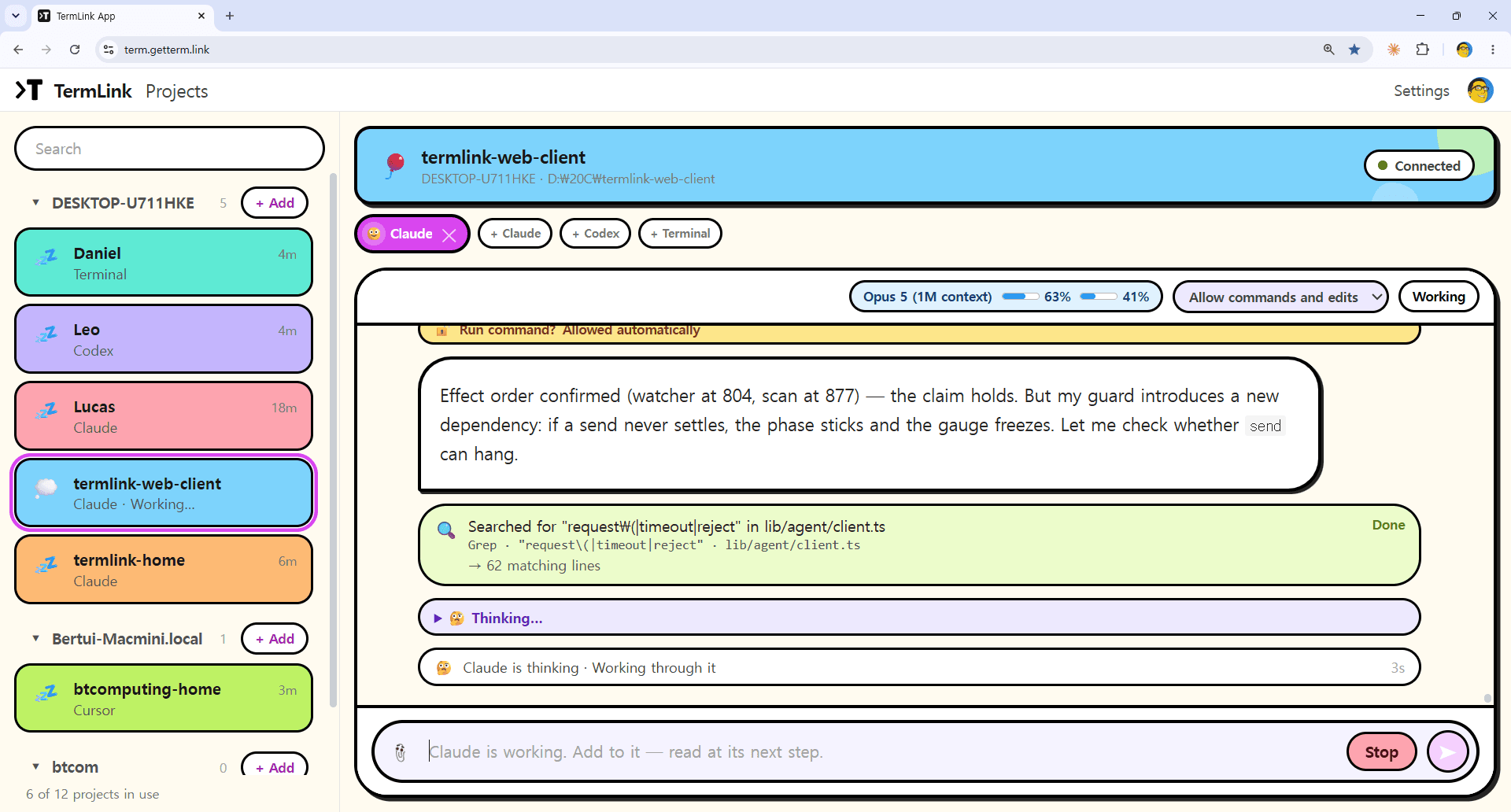
Claude Code, Codex CLI, Cursor Agent and Copilot CLI are on by default, with a plain terminal session next to them. A session manager for AI coding agents.
Built for several sessions at once
Anywhere
Open the same sessions from a desktop, a browser or your phone.
Keeps running
Your sessions stay alive while you step away — even through a usage limit.
No setup hassle
No VPN, no SSH setup, no open ports.
When Claude Code hits its usage limit, the turn that stopped is sent again on its own, a minute after the limit resets — nobody has to be at the keyboard. What happens when Claude Code hits its usage limit.
A session lives while termlink start runs on that machine — TermLink is not a background daemon. How approvals answer while you are away · your machine dials out.
Up and running in a minute
One npm package, on the machine where your code lives. Node.js 22 or later — nothing else to download, and no inbound port to open.
npm install -g @termlink/clitermlink login # Google sign-in, once per machinetermlink start # run this in the folder you want to work in
Then open TermLink in your browser.
A session opens inside the folder you started the host in, so cd there first. No addresses, keys, or PINs to remember.
Simple pricing
One number separates the plans — how many sessions run at the same time. Four, twelve, or forty.
Free
Start for free
- ✓4 sessions active at once, all streaming live
- ✓Every theme, and no session time limit
- •A fifth session has to wait until one of the four ends
Pro
For several agents at once
- ✓12 sessions active at once, all streaming live
- ✓Everything in Free, plus priority support
Checkout asks for your email — use the one you sign in to TermLink with, so Pro lands on your account.
Max
For a fleet of agents
- ✓40 sessions active at once, all streaming live
- ✓Everything in Pro, at a cap you won't reach by hand
Same checkout, same email rule as Pro.
Subscription questions: contact@getterm.link
Frequently asked questions
Does TermLink replace Claude Code or Codex?
No. Your agents keep running under the accounts you already use, so TermLink needs no API key and adds no token cost. It manages the sessions they run in, and never talks to a model itself.
Does my code stay on my machine?
Yes. Nothing is copied off it. Only the terminal screen travels, over WSS through our relay, and nothing it routes is written to disk.
Can I use it from my phone?
Yes, in a mobile browser — the same live sessions, with a control-key row and a chat-style prompt box for touch.
Every other question people ask →
Claude Code remote access · manage multiple Claude Code sessions · TermLink vs Claude Code Remote Control · a session manager for AI coding agents · a remote terminal without SSH · what the relay can see
Longer walkthroughs live on the blog.
Your AI coding sessions. Your style.
Sign in with Google, register the machine your code lives on, and open its sessions from any browser or phone — in the theme you want to work in.
No PINs, no keys, no open ports. Just your Google account.
Open source on GitHub →